A technician stands at a bench with a cover, four screws, and a harness. The page says to remove the cover carefully and then disconnect the harness when ready. The technician doesn't know which action comes first. A good work instruction removes that doubt. It tells the reader what to do, in what order, and what can go wrong.
These eight work instruction examples are reusable patterns. Each pattern has a document function. Writers can match the pattern to the reader task, the risk, and the review check. Simplified Technical English (ASD-STE100) helps each pattern stay clear for readers who may not share the writer's first language.
This site is an independent educational resource. It isn't ASD, and it doesn't certify documents. Exact rules and the controlled dictionary belong to the official specification.
The patterns cover maintenance steps, safety blocks, preparation lists, inspections, fault finding, torque and lubrication, energy isolation, and software setup. Each section shows where the pattern fits, where it can fail, a short rewrite, and a review check. Writers should keep one action in each sentence and name the part, the tool, and the limit.
Table of Contents
- 1. Step-by-Step Maintenance Task Instruction
- 2. Warning, Caution, and Note Blocks
- 3. Pre-Task Requirements List
- 4. Inspection and Check Procedure
- 5. Troubleshooting and Fault Isolation Table
- 6. Torque and Lubrication Specification Steps
- 7. Energy Isolation and Lockout Procedure
- 8. Software Installation and Configuration Instruction
- Side-by-Side Comparison of the Eight Patterns
- Choose the Right Pattern Before You Write
1. Step-by-Step Maintenance Task Instruction
A numbered maintenance instruction guides a technician through removal, replacement, or installation. Each step holds one action. The same step names the tool, the part, or the condition. This is the most common pattern in maintenance manuals.
The reader task is simple on paper and hard on the line. The technician must follow a fixed order without guessing. Risk rises when several parts look alike or when the sequence is easy to reverse.
A manufacturing study used Hierarchical Task Analysis and SHERPA on three assembly tasks. It found 59 error modes across 23 subtasks: 36 action errors, 9 selection errors, 8 information-retrieval errors, and 6 checking errors. Bracket installation alone produced 34 error modes (58%). Estimated human-error probability reached 0.62 for brackets, against 0.09 for cap covers. The study linked clearer, more visual instructions to lower error risk. See the assembly error analysis.
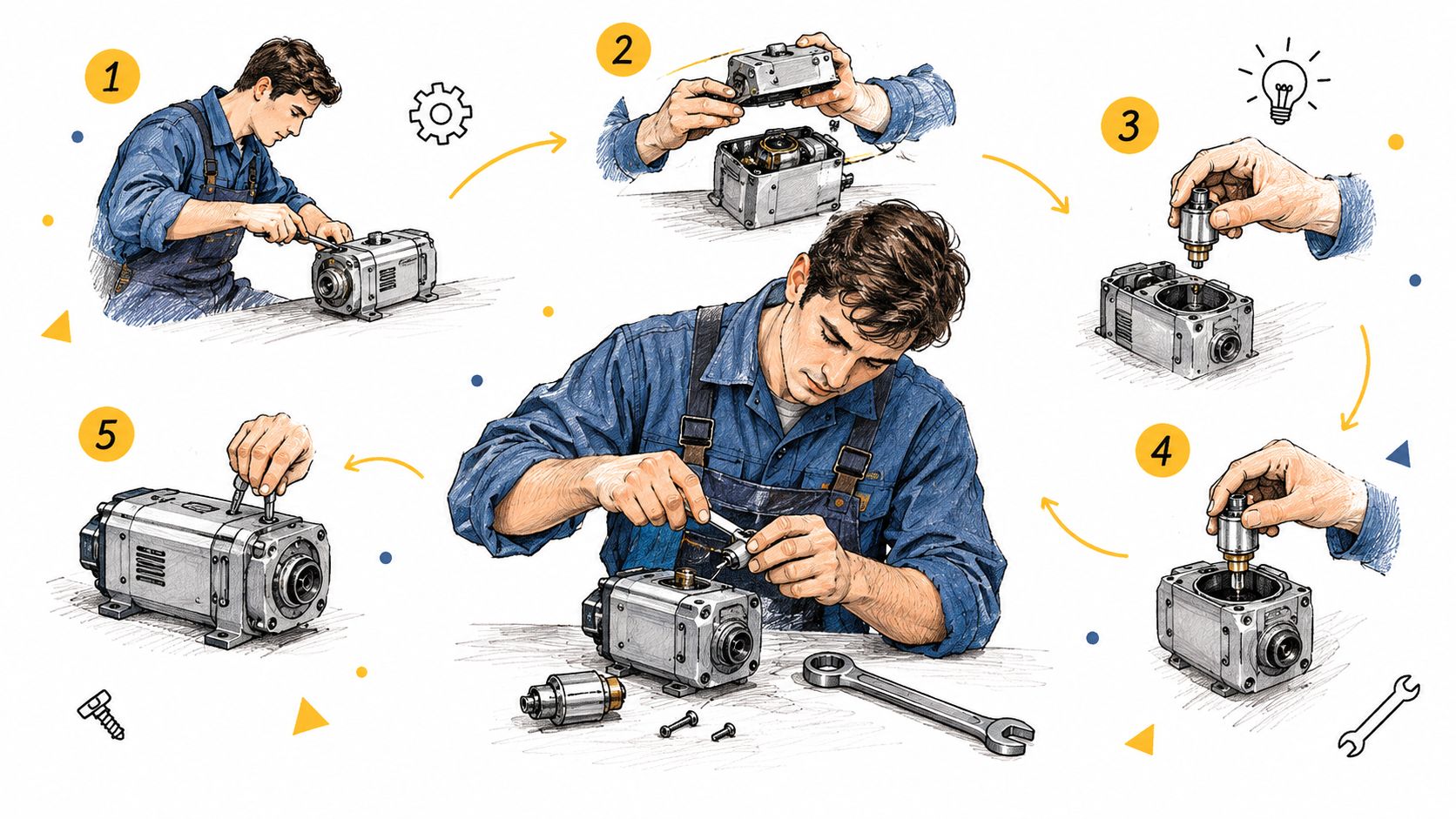
Before: The cover should be removed by unscrewing the four fasteners, after which the harness can be disconnected.
After: Remove the four screws. Remove the cover. Disconnect the harness connector.
Where this pattern fits and fails
- Use case: Pump cover removal, filter replacement, and connector installation.
- Limitation: A long list hides a missed step if no check follows the action.
- Review check: Each line starts with a verb, and the tool appears in the step that uses it.
Procedure writers can compare drafts with the procedure writing rules before a formal review. The free STE checker can flag long sentences in that first pass. It isn't an official conformity tool.
Practical rule: One action per step. If the sentence has "and," split it.
2. Warning, Caution, and Note Blocks
Safety messages sit before the hazardous step, not after it. A warning covers injury or death. A caution covers damage to equipment. A note adds information that isn't a safety control. The three labels aren't interchangeable.
The reader must see the hazard, the required action, and the consequence before the hands move. Vague care language fails that test. "Be careful" doesn't name a surface, a wait time, or a result.
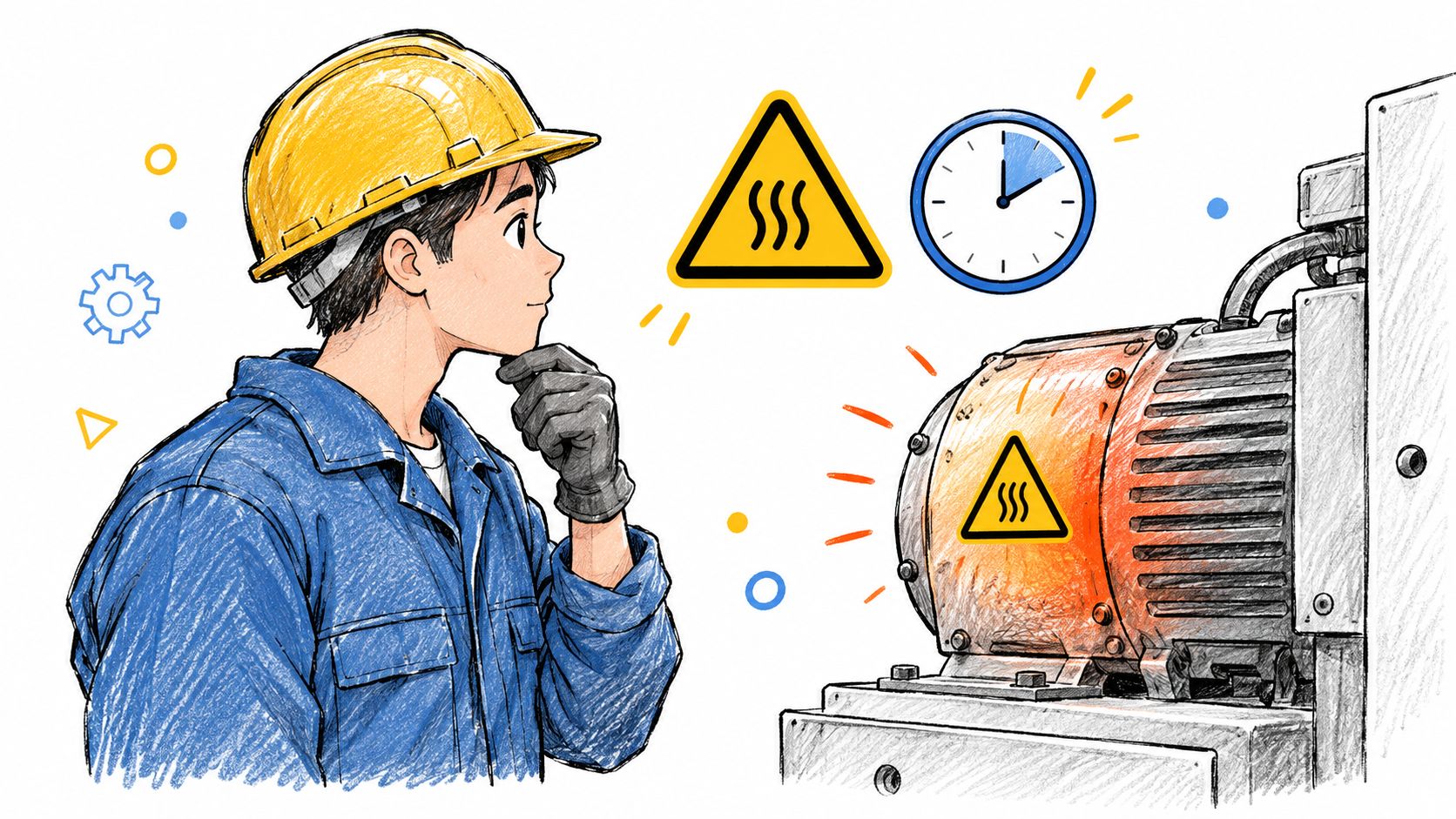
Before: Be careful when working near the hot parts because they can cause problems.
After: WARNING: Hot surfaces can cause burns. Wait 30 minutes before you touch the housing.
Issue 9 of ASD-STE100, released on 15 January 2025, treats the document as an international standard rather than only a specification. Warnings, cautions, and other safety instructions follow the same 20-word procedural sentence limit as other procedure sentences. Descriptive sentences may run to 25 words. The Issue 9 specification is the authority for counting and rule meaning. This page doesn't reproduce those rules.
Risk, use, and review
- Risk level: High when heat, pressure, voltage, or moving parts are present.
- Use case: A cool-down warning before housing contact, or a caution before a seal is pried.
- Limitation: One generic warning can't cover several different hazards.
- Review check: The label matches company or customer format, and the consequence is specific.
Writers can study sentence patterns in the ASD-STE100 examples and then confirm wording against the official text. Placement rules are summarized on the warnings and cautions page.
Put the hazard first. Then give the action. Then state the consequence.
3. Pre-Task Requirements List
Preparation comes before execution. A missing torque wrench stops the job before step 1, and a missing isolation device can make the job unsafe. A short list at the start names tools, parts, materials, skills, and conditions. The technician prepares the workplace before the first action, and the list cuts mid-task stops for a missing wrench or the wrong grease.
The list works like a cook's prep station. Everything sits within reach before the work starts. Risk is moderate when a missing item only delays work. Risk becomes high when the missing item is a calibrated tool or a required isolation device.
In a study across three assembly plants, 44% of operators said instructions sometimes contained errors, especially for rare product configurations (operator instruction study). Operators in the study also reported language too technical for novices, along with problems in structure, logic, and pictures. The same study shows that clarity depends on structure, logic, pictures, and the amount of information, not only on length.
Before: You will need the proper torque wrench and some kind of lubricant before starting the task.
After: Required tools: 1 torque wrench, 0 to 50 N·m range. Required material: 1 tube of approved grease.
- Reader task: Confirm tools, parts, and conditions before step 1.
- Use case: A grease-and-torque job, or a variant that needs a different seal.
- Limitation: A list that doesn't point to a step becomes unused inventory text.
- Review check: Quantities are numerals, and each name matches the later step.
For a rare configuration, add a second short list. State what changes. Don't bury the variant inside the normal steps. Novices need the part name and the visible difference. Experienced readers still need the limit that makes the variant safe.
Check general words in the ASD-STE100 dictionary guide. Project names and technical verbs stay in the procedure, but writers still apply the writing rules to the sentence around them.
4. Inspection and Check Procedure
An inspection step asks for a decision, not a repair, until the result fails. The instruction tells a person what to examine, how to examine it, and which result is acceptable. That result can be pass or fail. It can also be a measured value inside a range.
Risk depends on what a wrong "pass" allows into service. A gap check on a seal is a common case. A missed crack on a load-bearing part sits much higher, so the inspection earns more detail there.
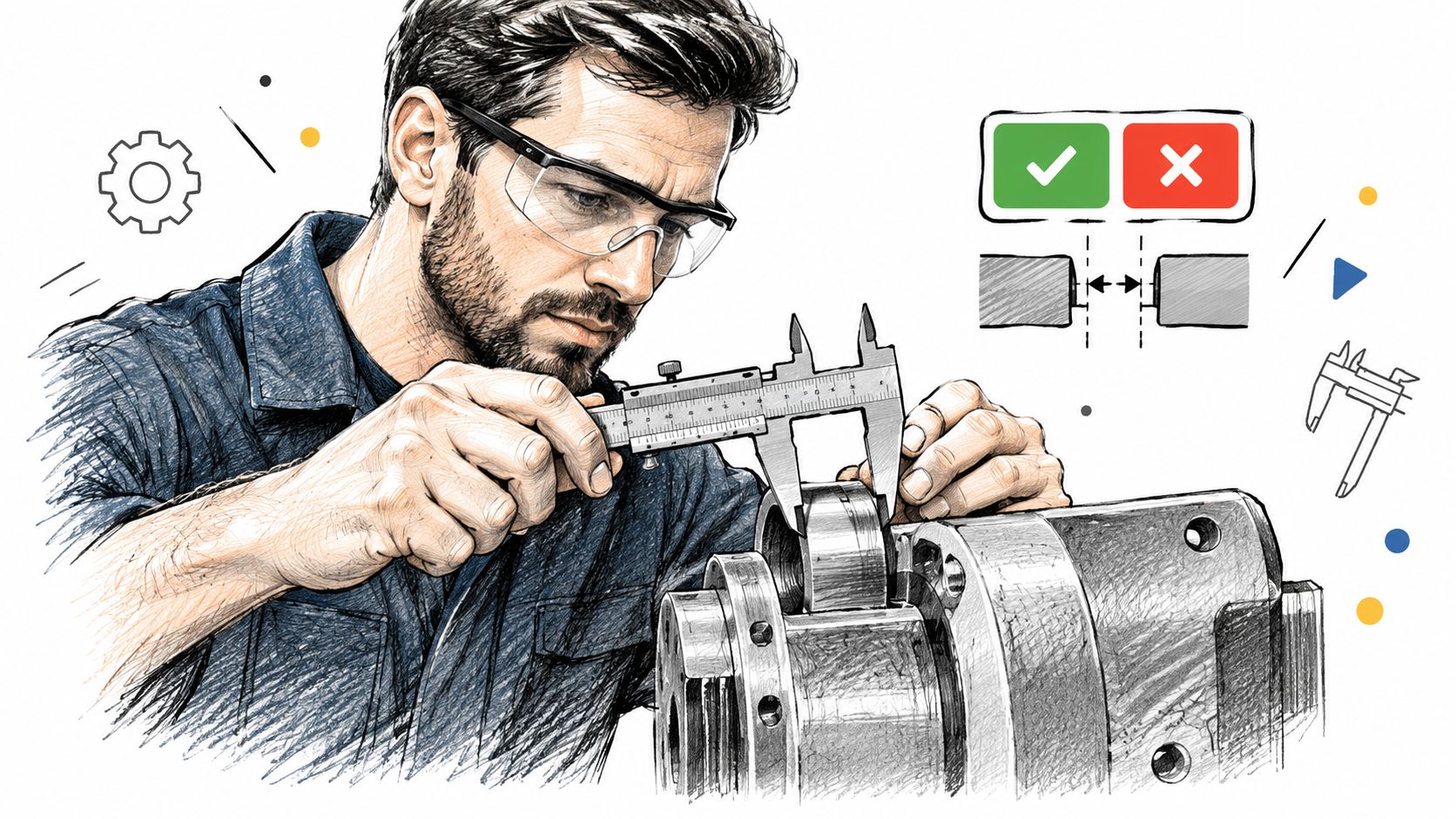
Before: Check if the surface looks okay and, if it is not okay, it may need a closer look.
After: Measure the gap between the two parts. If the gap is more than 0.5 mm, replace the seal.
A NASA study of 60 flights recorded 899 deviations tied to checklist use, monitoring, and operating procedures. 194 occurred during checklist use, 391 during monitoring, and 314 during procedure performance. Checklist items were omitted, incomplete, or incorrect on 42 occasions, according to the NASA checklist report. A check fails when the user can't find it, read it, or do it at the right time.
Acceptance criteria
- Use case: Gap, torque witness mark, leak check, or a visual crack check with a stated limit.
- Limitation: "Looks okay" has no shared meaning between shifts.
- Review check: The limit sits in the same step as the measurement, and fail actions are separate steps.
Test the draft with a reader who hasn't seen the part. If that reader can't state the pass value, the instruction isn't ready.
5. Troubleshooting and Fault Isolation Table
A fault guide links one symptom to one cause and one corrective action, so a technician can isolate the fault without reading the whole manual. A table works for a single indicator with one likely cause; a decision tree suits faults where the first check changes the next step. Keep each row or branch short enough to scan while the machine is stopped.
The job here is fault isolation: observe the signal, choose the matching row, act, then verify. Risk rises when a wrong first cause points a technician toward live equipment. It stays lower when the action is a lamp change after power removal.
Before: If the light is not working, it could be a problem with the wiring or the bulb, so check those.
After: Symptom: The indicator light is off. Cause: The bulb is broken. Action: Replace the bulb.
An experimental study of digital work instructions reported average assembly time falling from 1,084.8 seconds to 599.4 seconds, a 44.75% decrease. Assembly errors fell from 56 to 9, an 83.93% reduction. Assistance requests dropped from 58% of steps to 2%. The digital instruction experiment is a benchmark for one setup, and results depend on the task, the operators, the interface, and the controls.
How to keep each row usable
- Symptom: Write only what the reader can see or hear.
- Cause: Use one cause in each row. Put the most likely cause first when that order is known.
- Action: Give one next action, then a separate row for the next cause.
- Limitation: A single row that lists wiring and the bulb together brings back the guess.
- Review check: Record symptom, action taken, and result so the table can be revised from real faults.
Controlled vocabulary also matters in these short cells. The specification prefers one general word and one meaning. It selects start rather than begin, commence, initiate, or originate. Fall means movement downward because of gravity, so a lower pressure value needs a clearer verb. The STE FAQ explains that approach. Writers should check the official dictionary before they treat a word as approved. "The pressure decreased to 20 kPa" is clearer than "the pressure fell" when the meaning is a lower value.
6. Torque and Lubrication Specification Steps
A torque step fails without notice. When the value, the unit, or the tool is missing, the technician fills the gap from memory, and a wrong number on a pressure joint can cause a serious failure. This pattern exists to prevent that. It states a torque value, a tightening sequence, or a lubricant quantity so the page carries the number instead of the person.
Before: Tighten the bolts to the right torque, which is usually around the standard value for this size.
After: Tighten the bolt to 25 N·m with a calibrated torque wrench. Tighten the next bolt to 25 N·m.
The rewritten step works like a recipe that says 200 grams of flour instead of "enough flour". Nothing is left to judgment.
The wording habits behind that rewrite come from ASD-STE100, which began as a response to airline requests for clearer maintenance documents. Its chronology is short:
- Late 1970s: the European Association of Aerospace Industries begins the work, with support from the Aerospace Industries Association of America.
- 1986: the first AECMA Simplified English Guide appears.
- 2005: the guide becomes an international specification.
- 2025: it becomes an international standard.
The ASD-STE100 site is the official home of the specification, maintained by the Simplified Technical English Maintenance Group. This explanation stays at the level of orientation; the official text carries the exact requirements.
- Use case: A bolt circle on a cover, or a measured grease quantity on a fitting.
- Limitation: "Standard value" and "around" leave the technician to remember a number that isn't on the page.
- Review check: One value and one unit appear in the step, and the tool name is repeated where it is used.
Issue 9, identified as the current authority on the about STE page, has two main parts: 53 writing rules in nine sections, and a controlled dictionary of about 900 approved general words. Each approved word normally has one meaning and one part of speech. Summaries can't prove conformity, so the pattern summaries on the writing rules pages serve as a study aid only.
7. Energy Isolation and Lockout Procedure
A technician locks the main switch, tests the circuit, and starts the repair. The pneumatic line still holds pressure. That second source is the one that hurts people, and a single sentence covering "power and pressure" is how it gets missed.
A lockout procedure removes energy before maintenance starts. Energy can be electrical, hydraulic, pneumatic, or mechanical. The instruction lists each source, the isolation method, and the check that proves isolation. Risk is severe: a missed source can injure or kill, and wording such as "make sure the power is off" names neither the switch nor the proof.
Before: Make sure all the power is off and the pressure is gone before you start working on the unit.
After: Turn off the main switch. Lock the switch in the off position. Check that the display shows zero volts.
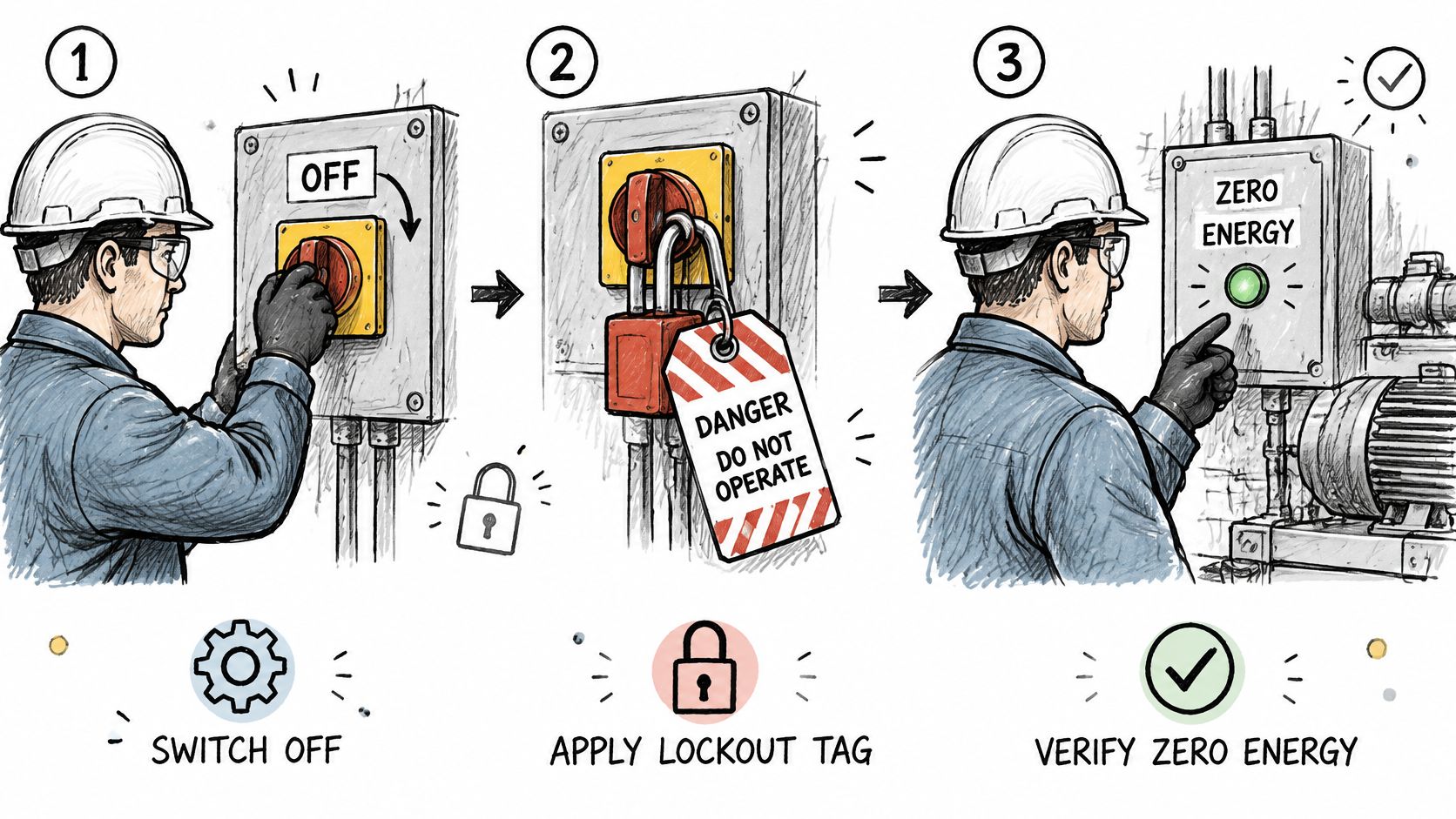
Order that doesn't depend on memory
Each energy source works like its own small procedure: isolate it, lock it, prove it. Combining those actions saves a line and costs the reader the cue that a second source exists.
- Isolation: Write each isolation point as its own step, and name the energy source in that step.
- Lock: State the device and the position, and keep it separate from the later test.
- Verification: Keep the proof step on its own line. Name the display, gauge, or test point and the expected reading.
- Use case: Electrical isolation of a motor before a coupling inspection.
- Limitation: A single sentence that covers power and pressure hides a second energy source.
- Review check: A second reader can point to each energy source and to the proof for that source.
The assembly study cited for the first pattern found that errors clustered in the bracket installation subtask, which held 34 of the 59 recorded error modes. Lockout writing benefits from the same discipline. Don't ask the technician to infer which source is dead. The free STE checker can highlight vague terms such as "safe" or "gone" before engineering review, and it doesn't replace the site procedure or the official specification.
Verification follows isolation as a separate step, with its own expected reading.
8. Software Installation and Configuration Instruction
A user changes one setting and needs to see the result on screen before moving on. A software instruction guides that work. It states system requirements, the actions, and the settings. Software documentation reaches users in several languages, so short steps reduce translation errors. That is one reason STE was built for maintenance and service communication.
Risk is usually lower than lockout, but a wrong configuration can stop a line, hide an alarm, or send bad data.
In the 2023 workforce training survey, 61% of respondents already used multimedia digital work instructions and 16% planned to adopt them within 12 months, the fastest-growing format in the survey. Written paper SOPs showed 92% current use but only 8% planned adoption. Written digital SOPs showed 80% current use and 4% planned adoption. The survey supports images or video for complex tasks. It doesn't mean every procedure should become a video with no check.
Before: Once you have opened the settings, you should find the option that lets you change the language.
After: Select Settings. Select Language. Select English from the list.
What the user must see
- Name the control: Use the button or menu name as it appears on the screen.
- Show one result: After an important step, state the window, message, or value the user should see.
- Separate the exception: If the menu is missing, give a stop-and-escalate step. Don't hide it in the happy path.
- Use case: Language selection, a license entry, or a sensor address.
- Limitation: A paragraph that says "find the option" fails when the menu name differs by version.
- Review check: A user who doesn't know the product can complete the path and state the expected screen.
In the digital work instruction experiment cited earlier, simplified steps reduced assembly errors from 56 to 9, and completion time improved after users understood the task structure. Detail can be reduced later for experienced users. It shouldn't be removed before the novice can see the structure. More sample rewrites appear in this technical writing instruction example.
Side-by-Side Comparison of the Eight Patterns
Each pattern does one job for the reader. The table sorts the eight examples by document function, then by the reader task and the risk level each one suits. Read it as a map, not a ranking.
| Pattern | Document function | Reader task | Risk level it suits | See |
|---|---|---|---|---|
| Step-by-Step Maintenance Task Instruction | Guide a sequence | Finish a repair in order | Physical work where a skipped step causes rework | Section 1 |
| Warning, Caution, and Note Blocks | Flag a hazard or fact | Stop and read before acting | Steps where injury or damage is possible | Section 2 |
| Pre-Task Requirements List | Prepare the task | Gather tools, parts, and conditions first | Work that stalls when one item is missing | Section 3 |
| Inspection and Check Procedure | Verify a result | Measure against a stated limit | Work where acceptance must be shown | Section 4 |
| Troubleshooting and Fault Isolation Table | Diagnose a fault | Match a symptom to one cause and one action | Recurring faults that need fast triage | Section 5 |
| Torque and Lubrication Specification Steps | Specify exact values | Apply a value with a named tool | Joints where a wrong value fails later | Section 6 |
| Energy Isolation and Lockout Procedure | Protect the worker | Isolate each source, then prove the isolation | Stored or live energy that can injure | Section 7 |
| Software Installation and Configuration Instruction | Configure a system | Follow named controls to a visible result | Interface paths that differ by version | Section 8 |
The patterns also nest. A maintenance instruction can open with the requirements list and carry a warning block at a hazardous step. If two rows seem to fit, start with the reader task column. A warning that tries to carry a full procedure, or a torque value sitting in a numbered step without a unit, usually means the wrong pattern was chosen.
Choose the Right Pattern Before You Write
Ask two questions before you draft. What does the reader need to do? What goes wrong if they do it badly? A torque step and a language setting need different depth, but both need one action in each sentence. State limits as values with units. Keep the normal path, the variant, and the recovery path apart. Simplification that deletes the exception does not make the instruction safer.
Each pattern above works like a template with fixed slots: the task it serves, the risk it controls, a rewritten example, a use case, a limitation, and a review check. Pick by function, not by habit. If the task removes energy, start with the isolation pattern. If it sets a value, start with the torque pattern. If it isolates a fault, start with the symptom table.
A common wrong turn is choosing the pattern that looks most complete instead of the one that fits the risk. A full lockout sequence for a low-risk settings change slows the reader. A short note for a stored-energy hazard gives too little warning.
Run a first pass against the procedure rules, then confirm exact rules and vocabulary in the official ASD-STE100 specification. The official PDF is the controlled document. The ASD-STE100 PDF guide shows where to locate it, and it does not host the standard itself.
Measure the instruction after release. Useful records are cycle time, first-pass result, error count, assistance events, and completion rate. Compare a vague line such as "install the component correctly" with a sequence that states orientation, fastening method, torque or measurement, and the acceptance condition. Those records show whether the pattern works for novices and for rare configurations.
STE Guide explains how Simplified Technical English applies to procedures, warnings, and short configuration steps like the patterns above. The site includes worked rewrites, practice comparisons, and a free heuristic checker for a first review of draft instructions. Visit STE Guide to study the patterns and then check exact requirements in the official specification.